
Your Practical Oxygen Concentrator Maintenance Checklist

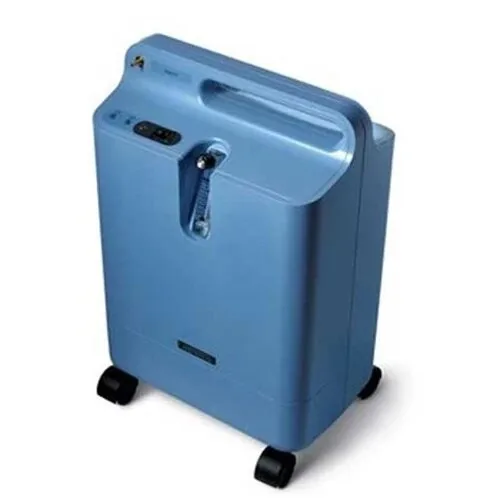
Keeping an oxygen concentrator running smoothly can feel like a juggling act, but a solid checklist makes it simple. Below is an everyday oxygen concentrator maintenance checklist you can print, post on the fridge, and use every day.
We analyzed 39 YouTube comments about oxygen concentrator maintenance and found that 28% mentioned error codes and alarm problems.
Table of Contents
Daily Safety and Setup Checklist
Start each day by confirming the unit is safe to use. Turn the machine off and unplug it before you begin any cleaning, as recommended in general home-use guidance and most manufacturers’ instructions. Check that the power cord is intact, the plug fits snugly, and the outlet supplies stable voltage. Replace the humidifier water with fresh distilled water; never top up old water because mineral buildup can clog the system.
Next, wipe the exterior with a lint‑free cloth dampened with a mild medical‑grade disinfectant. Keep the concentrator clear of walls and curtains, as your device manual describes, so airflow stays unrestricted. Never use oxygen near an open flame or smoking, and keep it away from cooking gas and heaters. Inspect the nasal cannula and tubing for cracks, kinks or moisture; a tiny tear can drop oxygen flow and cause discomfort.
Finally, verify the flow setting matches the prescription from the treating clinician, and never exceed the prescribed flow. If your device has both pulse-dose and continuous-flow modes, use only the mode your clinician prescribed: the two settings are not interchangeable. Listen for unusual noises from the compressor. If anything seems off, note it in your log and plan a quick check before the patient uses the device.
Key Takeaway:Power off, inspect power, replace water, clean exterior, check tubing, confirm flow, all before the first breath of the day.
For rental options, you can rent an oxygen machine from Healthy Jeena Sikho across our 15‑city network.
Cleaning and Filter‑Care Reference
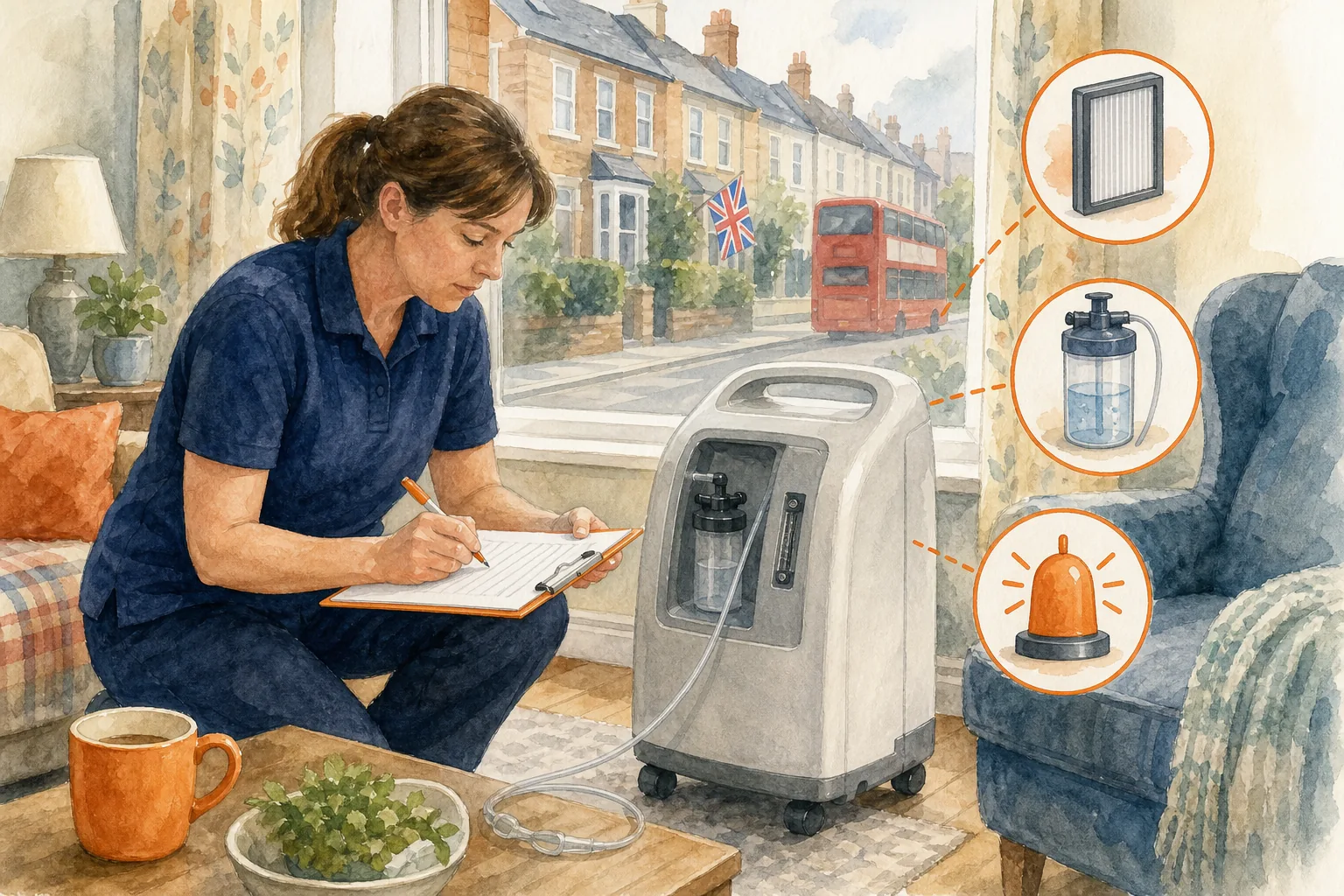
Filters are the lungs of the concentrator. The gross‑particle (intake) filter catches dust, while the bacterial filter traps microbes. Check your device manual for the cleaning schedule that applies to your model and conditions.
Remove the filter, rinse under warm water, squeeze out excess, then air‑dry completely before reinstalling. A lint‑free cloth works well for the bacterial filter; if it looks gray or clogged, replace it according to the manufacturer’s schedule.
Don’t forget the humidifier bottle. Wash it daily with mild detergent, rinse well, and let it air‑dry.
Our own maintenance guide walks you through each step in detail; you can read it at Medical Equipment Maintenance Made Easy . Keeping filters clean helps support the concentrator’s performance and can reduce noise and power draw. Follow the manufacturer’s instructions for oxygen-purity checks and filter replacement.
Performance, Alarms, and Oxygen‑Supply Checks
Concentrators may show a code or alert when something is wrong. Common alerts include low‑purity warnings, over‑temperature, and power‑failure beeps. Check the user manual for the meanings and recommended first steps for your model.
When an alarm sounds, first verify power and ensure the unit isn’t blocked by dust. Check the intake vent; a quick vacuum can clear debris that triggers a low‑purity alarm. If the alarm persists, inspect the filters (they’re common causes) and have oxygen purity checked by a qualified service provider if needed.
Run the machine on each power source once a month, including battery, AC adapter, and DC if available. This cycle confirms that batteries charge, the inverter works, and the charger delivers steady voltage. Record the hour‑meter reading; most units display total operating hours, and a jump in hours can signal the need for a sieve‑bed check.
Pro Tip:Follow the manufacturer’s battery-care instructions, including its guidance on charging and storage. Regular checks can help identify a weak battery before it fails during an outage.
For a deeper look at alarm codes and troubleshooting, see our warning lights guide .
A Simple Maintenance Log for Caregivers
Writing down what you do each day saves time and prevents missed steps. Use a notebook or a spreadsheet with columns for date, task, observations, and next action.
Date: When you performed the task.
Task: Daily safety, filter wash, humidifier refill, alarm check, etc.
Observations: Any odd noises, water leaks, or alarm codes.
Next Action: Replace filter, call service, run a performance test.
Here’s a quick template you can copy:
Date | Task | Observations | Next Action |
2026‑10‑01 | Replace humidifier water | Water clear | None |
2026‑10‑01 | Wipe exterior | Dust cleared | Check power cord |
2026‑10‑01 | Inspect tubing | No kinks | None |
When you notice a recurring issue, such as an alarm beeping every three days, the log makes it easy to show a technician exactly what’s happening. You can also download our complete maintenance guide for a ready‑made table.
When to Stop Troubleshooting and Contact the Supplier
Most hiccups can be fixed with a quick clean or a power‑reset, but some signs mean it’s time to call a professional. If the unit emits a burning smell, produces no airflow despite clear tubing, or shows a persistent low‑purity alarm after filter changes, stop DIY steps.
Also reach out if the hour meter passes the service interval in your manual, or if the battery drains faster than expected. These symptoms may indicate internal wear that only a qualified technician should address.
If you rent equipment from Healthy Jeena Sikho , contact the team using the details on your rental agreement for guidance on repairs or part replacements. For equipment you own, contact the supplier or manufacturer and follow the user manual’s instructions.
Prompt action protects the patient, the equipment, and your peace of mind.
Frequently Asked Questions
How often should I replace the intake filter?
Schedules differ by model and dust levels. Check your device manual for its specific schedule.
Can I use tap water in the humidifier bottle?
No. Use distilled or filtered water as directed in the device manual; tap water can leave mineral deposits that may clog the system and affect performance.
What does a flashing orange light mean?
On some models, a flashing light signals a low-purity alarm, but colours and codes differ by brand. Check that the filters are clean, the intake vent is clear, and the humidifier bottle is not overfilled, then consult the manual for your model’s instructions.
How do I know if the battery is failing?
If the battery drains unusually quickly on low flow, or if the unit shuts off unexpectedly during a power outage, the battery may need to be checked or replaced.
Is there a recommended way to store the concentrator when not in use?
Store it upright in a cool, dry place away from direct sunlight, with the ventilation grills unobstructed. Keep the power cord coiled loosely to avoid strain.
Conclusion
Follow this checklist, keep a simple log, and contact Healthy Jeena Sikho’s support team or your equipment supplier when a serious warning appears. That way the concentrator stays reliable and your loved one breathes easy.

Comments