
How to Keep Your BiPAP Running Smoothly at Home

When a BiPAP stops working, the night’s sleep can feel endless. We’ve put together a usable how‑to guide that walks you through the daily checks, cleaning routines, leak fixes and alarm troubleshooting you need to keep the machine reliable. Follow the steps below and you’ll avoid most breakdowns.
Table of Contents
Step 1: Check the BiPAP Setup Before Each Use
Start each night by confirming that the power cord is plugged in securely and the outlet works. Pull the cord gently; a loose fit can cause intermittent power loss.
Next, glance at the humidifier chamber. Make sure there’s water at the recommended level, not empty, not overflowing. The chamber should sit flat on the base; a tilted chamber can spill water onto the device and trigger an error.
5.2days, average interval between daily hygiene tasks
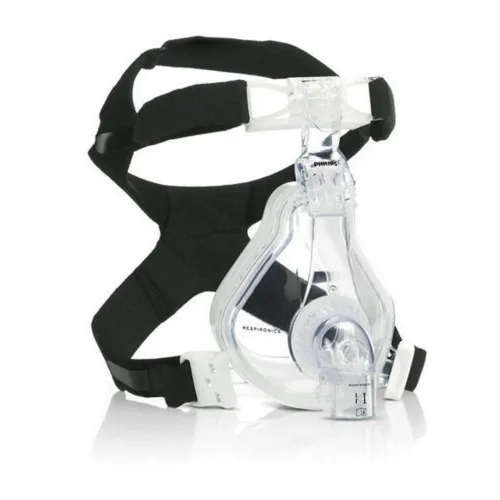
Finally, verify that the mask and tubing are correctly attached. The connectors should click into place with no wiggle. A loose connection often shows up as a “mask leak” alarm later in the night.
By now you should have a fully powered, properly filled, and securely connected BiPAP ready for sleep.
For a quick refresher on the basic upkeep steps, see our PAP Machine Maintenance Tips guide.
Step 2: Clean and Dry the Mask, Tubing and Accessories
After each use, remove the mask cushion and wipe it with a soft, damp cloth. Avoid harsh chemicals, plain water or a mild, fragrance‑free soap works best. Let the cushion air‑dry on a clean towel before re‑attaching.
Pull the tubing away from the machine and run warm water through it for a few seconds. Gently shake out excess water and hang the tube vertically so gravity drains any remaining moisture.
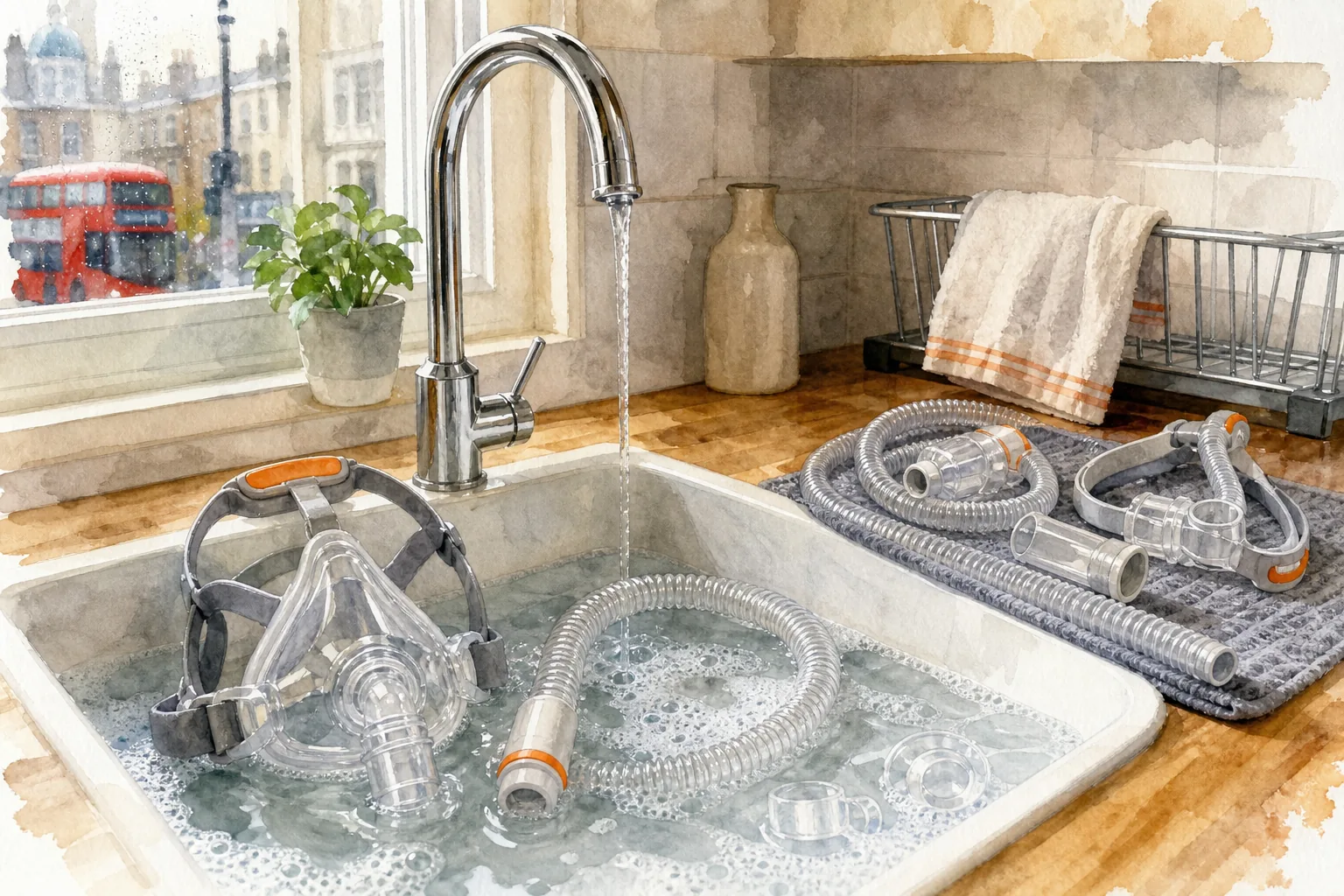
When the mask and tubing are dry, store them in a clean, dry place. Avoid keeping them in a bathroom where steam can linger.
Key Takeaway:A dry mask and tubing prevent mold growth and keep the air flow smooth.
Our detailed cleaning steps are laid out in How to properly clean a bipap machine , which you can reference for extra tips.
Step 3: Prevent Leaks and Improve Mask Comfort Safely
Check the headgear straps for wear. If the elastic feels stretched, replace it, a snug fit reduces leak risk without tightening too much.
Inspect the mask cushion for cracks or hard spots. A damaged cushion can let air escape, causing the machine to work harder and increase noise.
Adjust the mask position so the cushion sits evenly over the nose and mouth. Small shifts can make a big difference in comfort and seal.
Pro Tip:Use a small amount of hypoallergenic mask liner if the cushion irritates the skin; replace the liner weekly.
When you notice a persistent leak alarm, revisit these checks before moving to the troubleshooting steps.
Step 4: Troubleshoot Common BiPAP Alarms and Failures
If the screen flashes an alarm, note the code and consult the user manual. Most codes fall into three groups: power issues, mask leaks, and internal faults.
For a mask‑leak alarm, repeat the seal checks from Step 3. If the leak persists, try a different mask size, an ill‑fitting mask is a common culprit.
Power‑related alarms often mean the device isn’t getting enough electricity. Verify the outlet, try a different plug, and ensure the battery (if present) is charged.
When an internal fault appears, such as a heating element error, turn the machine off, unplug it, wait a minute, then restart. If the error returns, contact a technician.
Any persistent error should be reviewed by a clinician before continued use.
For model‑specific error codes, our ResMed CPAP Error Codes and Troubleshooting article offers a handy reference.
Step 5: Create a Maintenance Schedule and Know When to Call for Help
Set a calendar reminder for weekly filter checks. Replace disposable filters every 1 to 2 months, or wash reusable ones weekly as the manufacturer advises.
Mark a monthly deep‑clean day: soak the humidifier chamber and tubing in a 1:3 vinegar‑water solution for 30 minutes, then rinse thoroughly and air‑dry.
Plan component swaps: replace the mask and headgear every 6 to 9 months, and change the tubing annually. Keeping a log helps you track these dates.
If you notice any of the following, call a professional: persistent strange smells, unusual heating, repeated alarm codes after the reset, or visible wear on the mask or tubing.
Our team at Healthy Jeena Sikho can arrange a service visit for any of the above issues, we’ve helped over 120,000 families keep their equipment in top shape.
for more scheduling ideas at BiPAP Machine Usage Full Guide .
For caregivers feeling burnout from round‑the‑clock equipment care, a general support resource offers usable support through an online resource .
Hospitals that rent equipment often need to manage billing efficiently; for tips.
FAQ: BiPAP Maintenance and Troubleshooting
How often should I clean the BiPAP mask?
You should wipe the mask cushion after every use and give it a thorough wash once a week. Daily cleaning stops mold and odor buildup, while weekly washing keeps the material supple.
What does a “mask leak” alarm mean?
A mask leak alarm signals that air is escaping around the mask seal. Check the headgear tension, inspect the cushion for damage, and ensure the mask sits evenly over your face.
Can I use regular dish soap on the humidifier chamber?
Yes, a mild, fragrance‑free dish soap works for cleaning the chamber. Rinse thoroughly with warm water and let it air‑dry before refilling.
When should I replace the tubing?
Replace the tubing every 12 months, or sooner if you see cracks, discoloration, or a persistent odor. Regular inspection helps avoid hidden leaks.
What should I do if the machine overheats?
Turn the device off, unplug it, and let it cool for at least five minutes. Check that the ventilation slots are clear of dust, and make sure the unit isn’t placed against a wall.
Is it safe to keep the BiPAP near a window?
Yes, as long as the window isn’t open to let in drafts that could affect pressure settings. Keep the device away from direct sunlight and moisture.
For more detailed troubleshooting steps, see this reference.
We hope this guide helps you keep your BiPAP humming quietly through the night.
Conclusion
Start a simple daily checklist, add a weekly filter routine and a monthly deep‑clean, and you’ll extend your BiPAP’s life. If any alarm persists, reach out to Healthy Jeena Sikho for a quick service call or explore our broader Medical Equipment Maintenance Guide for other home‑care devices.


Comments